
Introduction to Java Script
What is Java Script ?
Alongside HTML and CSS, Java Script is one of the three core technologies of the World Wide Web.
Java Script is a very powerful scripting language which is responsible for adding additional behavior and interactivity to your website so to make it more interesting.
It was created by Brendan Eich in 1995 during his time at Netscape Communications.
By default, Java Script programs run using a single thread. Though there are ways to create new threads Java Script is considered as a single-threaded language.
Java Script does not wait for i/o operations to get completed, instead it continues the execution of the program. This is called as the non-blocking I/O nature.
Since the non-blocking I/O nature Java Script is asynchronous.
Java Script is dynamically typed.
Java Script is multi paradigm ; supports Object Oriented Programming as well as functional programing.
Configuration 🔧
In order to work with Java Script unlike other instances you do not need to pre-install any third party software or libraries since Java Script can be run on anywhere. Unlike Java it can be run on browsers too.
But in order to get thoughtful integration with minimum configurations we can use an IDE (Integrated development environment) . Some IDEs that can be used for JavaScript are :
- Web-Storm
- Visual Studio Code
- Atom IDE
- Brackets
- Komodo Edit
Web-Storm is one of the most popular JavaScript IDE on the market. This solution from JetBrains gives us the opportunity of having a powerful IDE for modern JavaScript development with smart coding assistance. Its features include code completion, error detection and refactoring for a number of languages like JavaScript, Node.Js, HTML and CSS.
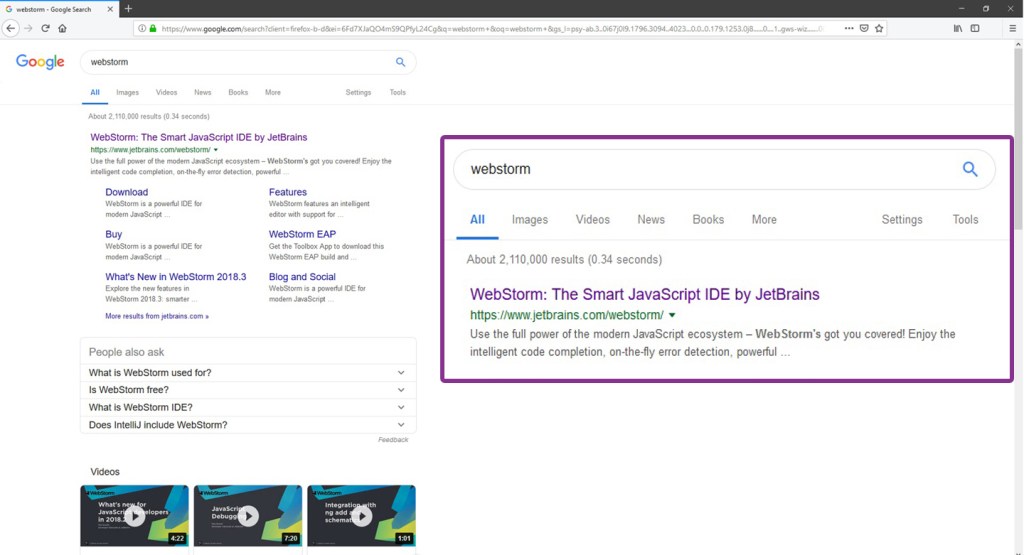
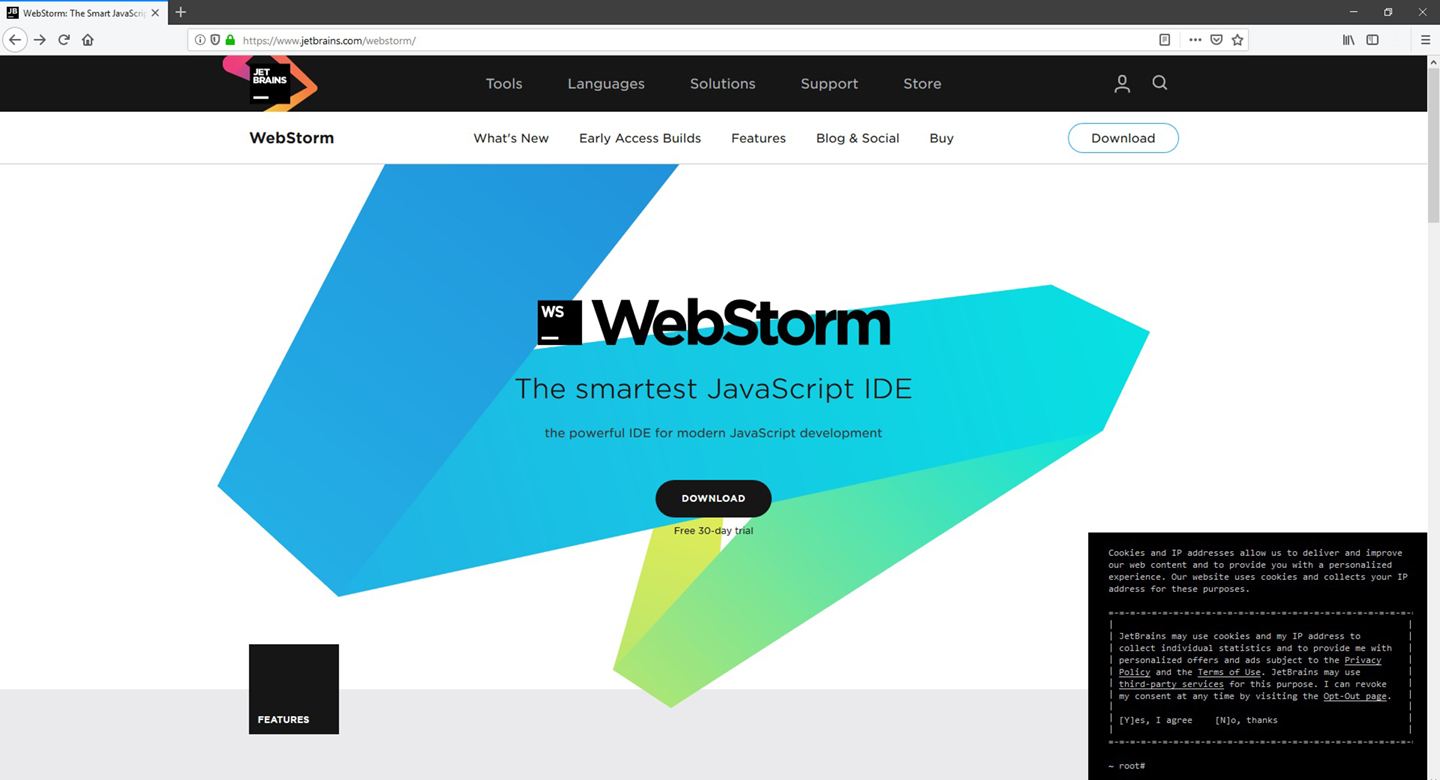
You can easily search WebStorm IDE by JetBrains from any web browser typing the key-word WebStorm and selecting the first link as shown in the 1st picture. Then you will be directed to the downloading page of the IDE (picture 02) and from the download button you can easily download the setup and install the IDE to your PC.
How to get Free individual licenses to use WebStorm IDE ?
Students and Faculty staff members from accredited educational institutions: high schools, colleges, universities can apply for a free license to use developer tools from JetBrains completely free. The best way to obtain a free educational license pack is to use your official institutional email address or ISIC card. This way it will only take you a few minutes to get a free educational license pack. You can apply for your free educational license pack from the below link.
https://www.jetbrains.com/shop/eform/students
If you do not have an official institutional email address or an ISIC card, you can apply for free license by providing an official document affiliation with your academic institution or apply for a free license with your GitHub Student Developer Pack account.
Working with Web-Storm
Creating a New Project
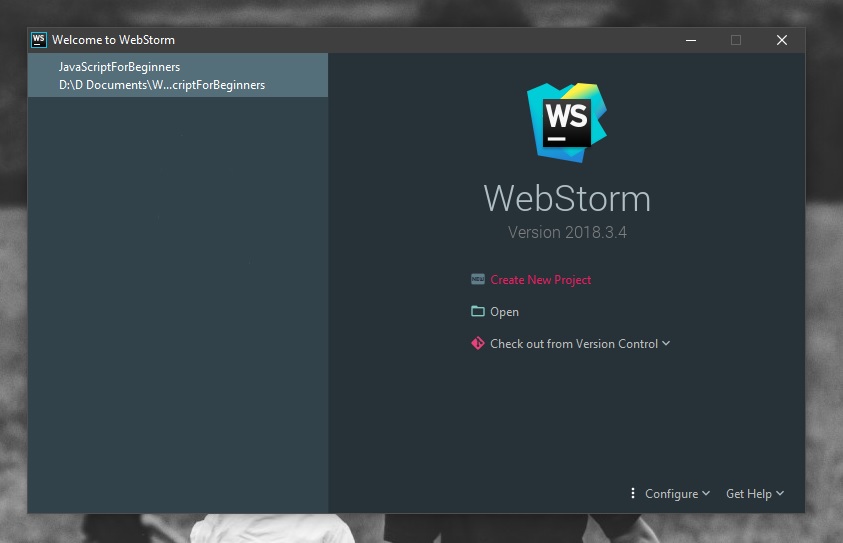
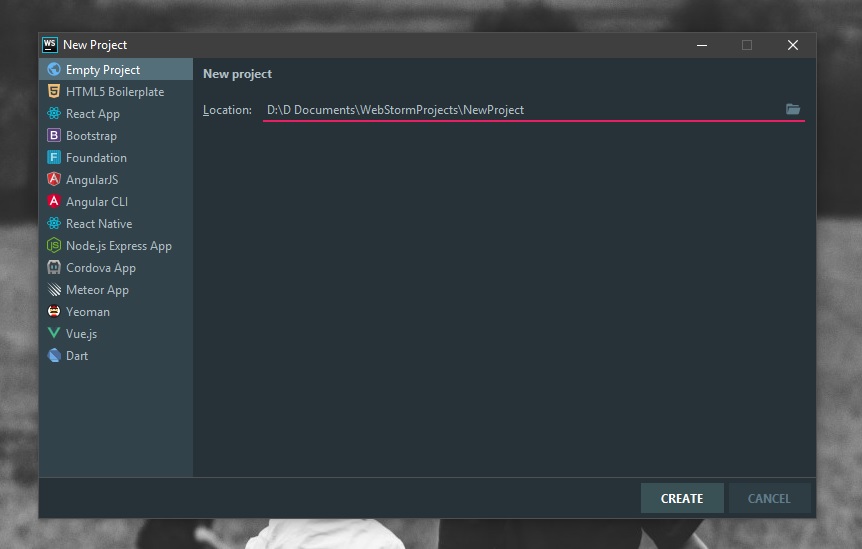
We can create a new JavaScript project by selecting the Create New Project button (as shown in the step 01) and then setting the location and the project name (as shown in the step 02).
Now lets dig into the main concepts in Java Script …
Classes and Objects
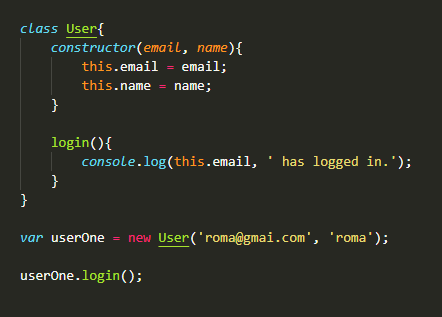
In JavaScript, when function is used with ‘new‘ keyword that function acts as a Class.
Recently JavaScript introduced ‘class‘ keyword, but it is not yet adopted by all JavaScript engines.
A constructor function is used with the ‘new’ keyword when creating an Object.
Another way of creating an Object is using object literals (‘{ }‘). These objects are considered to be Singleton.
When new keyword is used, new object is created and it assigned as ‘this‘ for the duration of call to the constructor function.
‘this‘ in JavaScript
Unlikely other languages in JavaScript ‘this’ keyword acts differently.
Inside an object ‘this‘ refers to object itself. In global context ‘this‘ refers to the global object (in browser it is the window object) .This behavior is very noticeable in callback and closures and will get changed in strict mode.
Prototypes
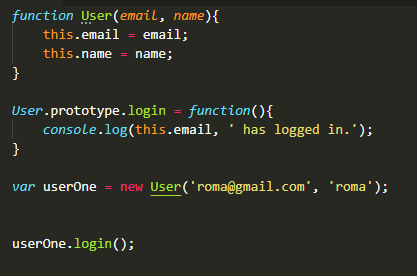
Prototypes are similar to Class definition. It is really another object instance.
It is used when creating objects for inheritance and adding methods to a JavaScript class.
Because of the flexibility in JavaScript there are multiple ways to create classes as well as to extend classes. Prototypes are the recommended way of doing so.
Object ‘__proto__‘ is where object get its properties inherited from.
Strict notation
Restricted mode of JavaScript.
Purpose is to make easier to write secure JavaScript. Strict mode does not allow to create variables without ‘var‘ keyword; variables have to be declared.
In Strict mode it will stop referencing to window object as ‘this‘ from outside object instances.
Closure
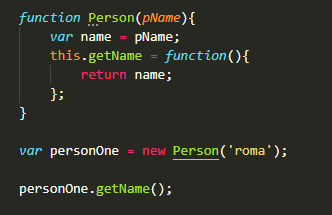
JavaScript Closure is a function which returns another function.
This is used to encapsulate variables into a function and restrict access to all it from the outside.
Callback and Promises
When we need to do synchronous processing using data, asynchronous nature of the JavaScript make it difficult to process. But this difficuly is solved by the use of callbacks and promises.
Callback is a function that is being passed to an async task and on completion the function will be executed.
Promise is an object that is being returned from async task. Promise have properties to deal withasync operations synchronously.
Callback hell – Nested callbacks passed into sequence of async tasks is referred to a callback hell.
Promise object was introduced to solve this problem and a Promise object is contained with a set of properties, methods and mechanisms of chaining to handle complex async tasks accurately.


I’m not that much of a online reader to be honest but
your sites really nice, keep it up! I’ll go ahead and bookmark
your website to come back later. All the best
LikeLiked by 1 person