
Introduction to Node JS
” Node JS is an open source, cross platform runtime environment for server-side and networking applications. ”
Emmm… ??? 🤔
Okay lets break it down and get a clear understanding what this means,
NodeJS Actually is …
A platform which allows users to run JavaScript on a computer or on a server.
It is developed by Ryan Dahl with the aim of creating real-time websites with push capabilities (websockets).
Node JS is build on V8 engine, Chrome’s JavaScript engine.
Which means NodeJS gives us the ability to Read, Delete, Update files and easily communicate with databases.
Therefore, we no longer have to learn additional programming languages. We can just rely on JavaScript and accomplish all our sever-side and networking application needs via NodeJS.
Why NodeJS is so Popular ?
- NodeJS is so popular because it uses JavaScript.
- Very fast – runs on the V8 engine and uses non-blocking code.
- Has a huge ecosystem of open source packages – npm, largest opensource library.
- Ideal for real-time services/applications (chat).
Use Cases.
- 1. NodeJS is ideal for building fast and scable network applications.
- Capable of handling a huge number of simultaneous connections with high throughput.
- Used for :
- I/O bound applications.
- Data streaming applications.
- Data intensive real-time applications.
- JSON APIs based applications.
- Single page applications.



Advantages.
- Ability to use single programming language from one end of the application to the other end.
- Easy to scale both horizontally and vertically.
- Delivers improved performance since V8 engine compile the JS code into machine code directly.
- Easily extensible.
- Performance increased via caching modules into memory after the first use.
- Support for common tools like unit testing.
- Well build npm package manager and its large number of reusable modules.
Disadvantages.
- Not suitable for computationally intensive tasks.
- Even though there are number of libraries available, the actual number of robust libraries are comparatively low.
- Asynchronous programming model is complex than synchronous model.
Okey. Now, since we got a basic idea about what NodeJS actually is and what special characteristics it posses, let’s move on to setting up NodeJS on our machine.
Setting up NodeJS. 🔧
Installing NodeJS on Windows and Mac.
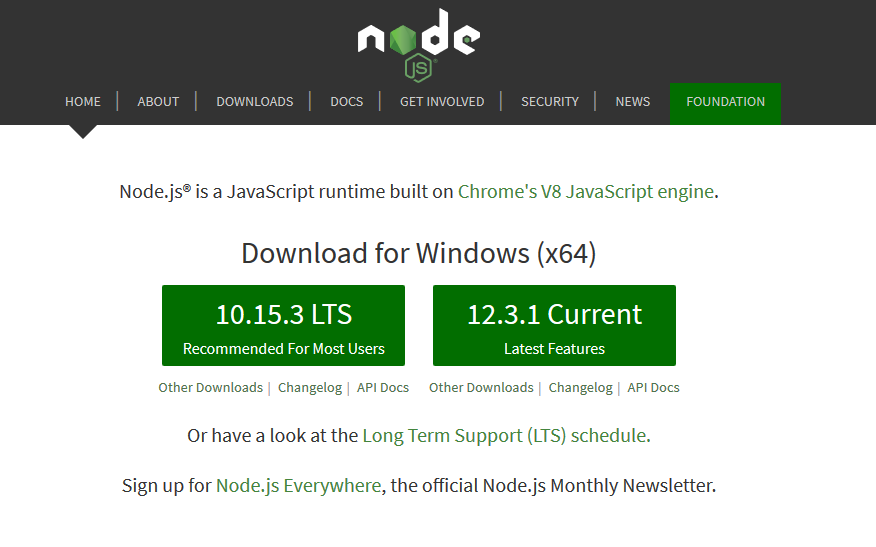
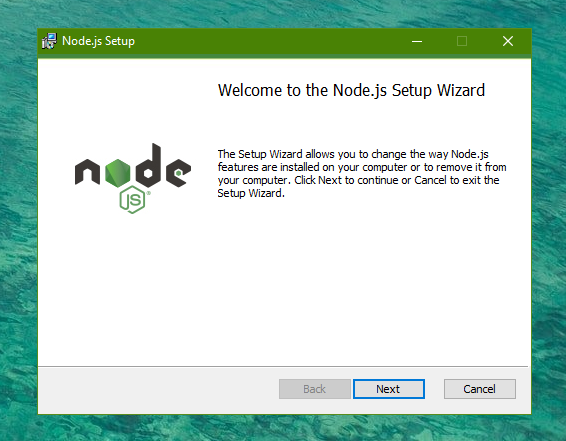
For machines that having a Windows operating system or a Mac operating system, the NodeJS application can be downloaded from here, NodeJS’s official site.
Installing NodeJS on Debian based systems.
For these machines the installation can be done by entering the following commands in the terminal.
You only need to enter either the LTS relase or the latest release.
#------------------For Ubuntu-------------------------

#Selecting the LTS release
curl -sL https://deb.nodesource.com/setup_10.x | sudo -E bash -

#Selecting latest version
curl -sL https://deb.nodesource.com/setup_12.x | sudo -E bash -

#Installing on Ubuntu
sudo apt-get install nodejs


#-----------For other Debian based systems------------

#Selecting the LTs release
curl -sL https://deb.nodesource.com/setup_10.x | sudo bash -

#Selecting latest version
curl -sL https://deb.nodesource.com/setup_12.x | sudo bash -

#Installing on Debian
sudo apt-get install nodejs
After installing you can check and verify by entering the following command.
node -vIf you have successfully installed NodeJS, the above command will prompt you the version of the NodeJS you have installed.
Voilà , You have successfully installed NodeJS on your machine. 🥳
Okay now, lets build our first Hello World NodeJS application.
First NodeJS Application.
- Create a JavaScript file. ( app.js )
- Inside the app.js enter the following code which will print the string, ‘Hello World !’ to the console.
console.log('Hello World !'); - Now locate the app.js file’s directory from the command prompt or terminal.
- Then in the command prompt/terminal enter the following command in-order to run the particular javascript file, (app.js)
node app.js
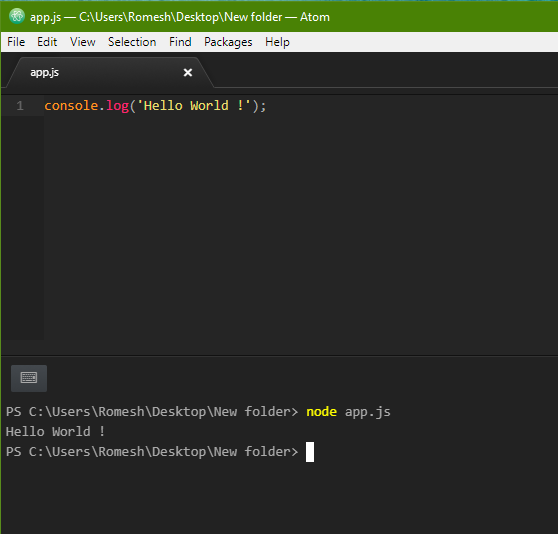
Voilà , You have successfully created your first NodeJS application. 🤩
And thats it for the Introduction to NodeJS. Hope you have got the basic idea of what NodeJS is, about its core concepts and how to get start with NodeJS.
. . .
Thanks for reading! ❤️
If you have any queries regarding this article, feel free to comment out in the comment section below or contact me on twitter.
If you need to learn more about NodeJS and its advanced concepts please refer my NodeJS Course on GitHub.


